When a web project involves lots of moving parts, stakeholders and differing opinions (as they so often do), it’s important to have the right infrastructure in place to keep things moving along as smoothly as possible. This is why we pair the human expertise of our project management and web development teams with a range of powerful tools.
We’ve pulled together some of our favourites here and shown how we use them, and why, at each stage of the process. Between them, these tools help us keep projects on time, track and respond to feedback, showcase design iterations and communicate better with our clients.
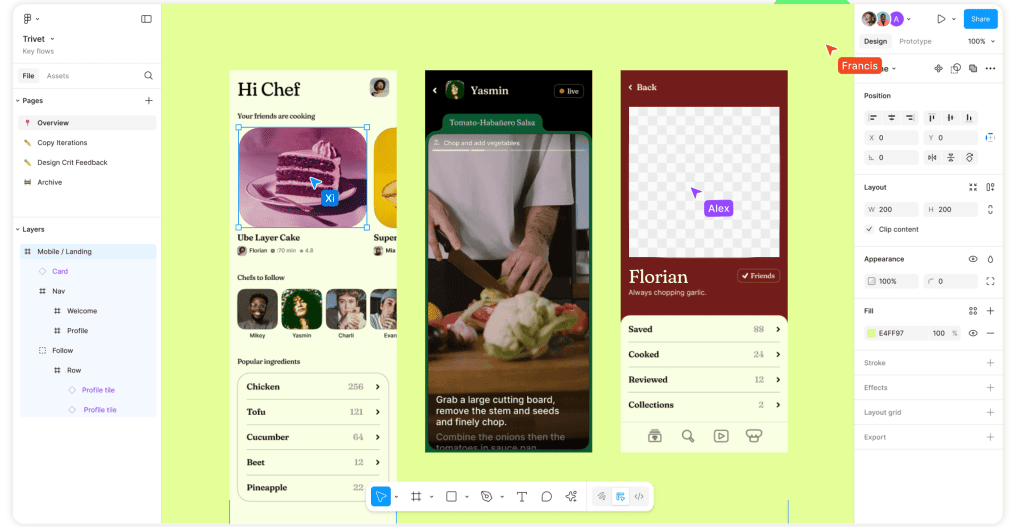
Design Phase / Feedback Phase – Figma
A powerful, cloud-based design tool that lets teams collaborate in real time to build website layouts and interactive prototypes. Clients, project managers and designers can drop comments directly onto the designs, accelerating feedback and keeping iterations organised all in one place.
What we use it for
Design collaboration and feedback
A central “hub” for all design-related discussions
Why we love it
Keeps all design feedback in one place
Allows our clients and design team to comment directly on designs
Eliminates long email chains and allows us to manage conflicting feedback
Makes it easier to track, review and action comments and feedback suggestions
Why it matters for our clients
Faster design iterations
Clearer communication
Fewer misunderstandings
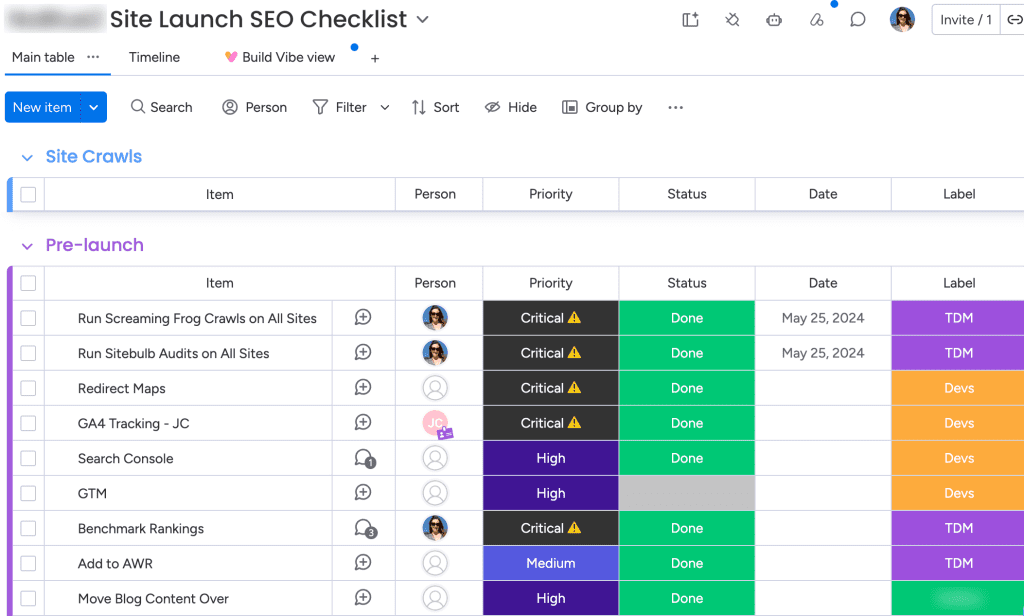
Project Tracking & Development Feedback – Monday.com
A cloud-based project management platform that helps our team plan, track and collaborate on work. Using customisable, highly visual boards, we can automate workflows and centralise data on project tasks and actions, keeping all parties aligned and productive!
What we use it for
Our central project management system, acting as a “single source of truth” for our projects
Why we love it
Development feedback boards
Clients can leave feedback directly on the items on the board, and it’s all structured, visible and trackable. This means that there is less confusion and fewer comments get missed or overlooked.
Project boards
These allow us to track the overall progress of any given web project (we also use them in our Brand, SEO, PPC and Client Services teams). We can assign priorities and owners to tasks, meaning everyone knows who is doing what, and when. We can track project phases, invoices and statuses, giving everyone within the team full visibility of progress and priorities. Using Monday.com also helps us plan projects and improve the quality of our reporting.
Weekly catchups
We use weekly catch-up boards to log client contact each week, tracking the communication type (call, email, WhatsApp, etc) and an overview of what was discussed. This helps keep client comms on track and ensures that they’re regular and consistent.
Project management & to-do lists
We also create to-do lists within Monday, which we can share across the whole team, whether that’s just within development, or including our other teams or clients. We can assign clear ownership, priorities, deadlines and statuses, which helps to prevent tasks slipping or falling through the cracks.
Why it matters for our clients
Transparency
Clear deadlines and project timelines
Clear accountability
Development Planning & Delivery – Dev Sprints (Monday Dev)
A specialised product built on Monday.com, tailored specifically for software development teams. Here, we can centralise roadmaps, sprint planning, bug tracking and developer workloads.
What we use it for
Sprint planning and tracking developer workloads
Understanding what’s being worked on and when
Why we love it
Improves planning accuracy
Avoids overloading our developers
Helps us to prioritise development work effectively
Why it matters for our clients
We can set realistic timelines
Development work is of better quality as the team is not overcommitted
There are fewer last-minute surprises
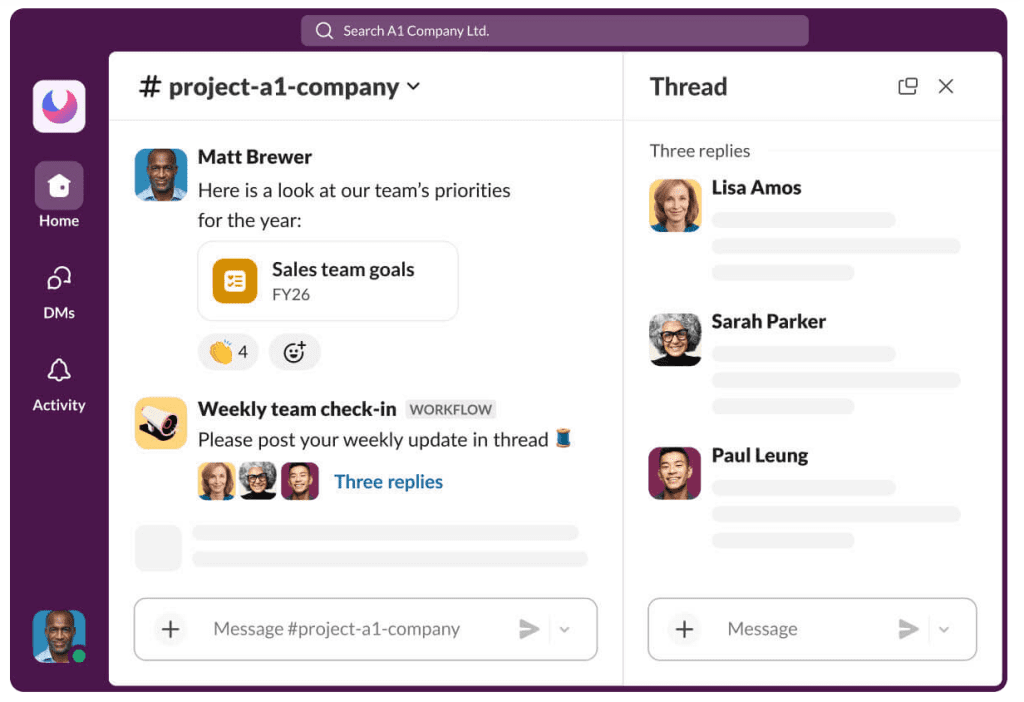
Internal Communication – Slack
A cloud-based communication platform that allows real-time collaboration. Slack organises conversations into searchable channels and direct messages. Users can also participate in huddles if they need to chat. It easily integrates with thousands of workplace tools (including Monday and Figma!) and serves as a central hub where teams can chat and share files.
What we use it for
Internal communication
Quick collaboration
Dedicated client or project channels
Why we love it
Reduces email overload
Keeps conversations searchable and organised
Allows us to make quick internal decisions
Why it matters for our clients
Faster responses and fewer communication gaps
Smoother day-to-day delivery
Documentation & Knowledge Sharing – Notion
An all-in-one, cloud-based workspace that brings project notes, tasks and documentation together in real time. It serves as a dashboard where teams and clients align on requirements, roadmaps and project assets.
What we use it for
Centralised documentation and notes
Internal processes, references and to-do lists
Why we love it
Keeps knowledge and conversations organised and accessible
Reduces reliance on individual team members
Ensures consistency across projects
Why it matters for our clients
More consistent delivery
Fewer mistakes or missed steps
Better long-term project continuity
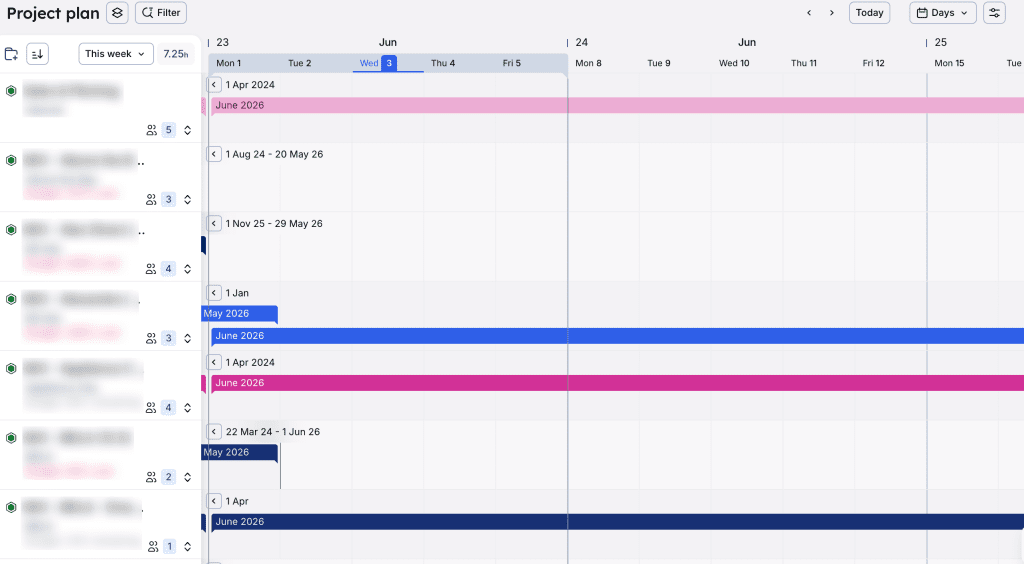
Resource & Time Planning – Float
A resource management and scheduling platform built for agencies and professional services teams. It doesn’t just track tasks; it lets you focus on your people. You can easily see team capacity, availability and skills in real time. Float helps managers accurately allocate workloads, track project budgets and forecast hiring needs to protect profit margins.
What we use it for
Resource planning across all projects
Allocating time for designers and developers
Why we love it
Helps us to prevent overbooking and burnout
Balances workloads across the team
Supports realistic timelines
Why it matters for our clients
Allows us to set reliable delivery dates
Helps us provide better quality work
We can pace out projects predictably
Time Tracking & Budgeting – Harvest
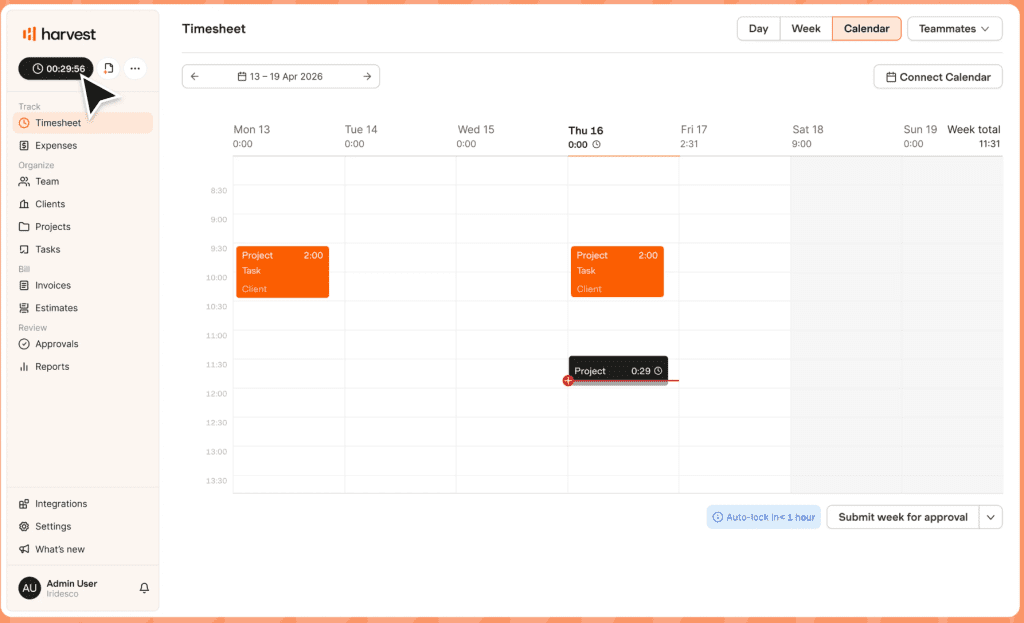
Harvest is a streamlined, cloud-based tool that simplifies logging hours and managing project budgets in real time. Teams can track time seamlessly across tasks, allowing project managers to keep budgets on track and clients to see exact resource allocation.
What we use it for
Tracking time spent per project
Monitoring budgets and usage
Why we love it
Provides accurate reporting
Helps identify potential budget risks early
Supports forecasting and planning
Why it matters for our clients
We can be transparent about budgets
No unexpected overruns of time or budget
We can clearly demonstrate where time has been spent
Leadership & High-level Reporting – Projects IQ (Internal Tool)
This is our own tool that we have been developing to help us manage internal processes and client health. It pulls together a lot of the features we love from other tools to give a brilliant overview of our projects and clients.
What we use it for
High-level project reporting for leadership
We also use it in internal director meetings to give an overview of projects and progress
Why we love it
Gives us a comprehensive overview of project health
Lets us track status, remaining budget, and weekly updates
Supports proactive decision-making
Why it matters for our clients
We can identify issues early
Senior managers and directors have oversight on project progress
Helps contribute to better long-term outcomes
Great Tools Support Great Project Management
Our tools help us stay organised, transparent, and efficient. Successful projects rely on communication, planning and collaboration, and this toolset supports us in delivering high-quality websites, on time and on budget.
Want to Discuss Your Web Project with Us?
Ready for a transparent, stress-free web build? Let’s launch your next project on time, on budget, and without the chaos – get in touch with our team today to see what we can do for you!
Josie is our Senior Projects Account Manager, leading the successful delivery of web projects from discovery through to design, development, and launch. With a strong background in digital project management, Josie is proficient at coordinating cross-functional teams, managing timelines and budgets, and ensuring each project aligns with our clients goals.
Her collaborative approach and keen eye for detail ensure smooth project execution and high-quality outcomes across a wide range of industries.
Outside of work, Josie enjoys discovering new places to eat, diving into video games, going for walks, and getting hands-on with all things arts and crafts.