Many websites are designed so that they look finished the day they launch, but not much thought is given to after that. In reality, many websites are never "finished"; like your business, your website is constantly evolving and changing. With a "finished" website, as your business moves forward, you start discovering gaps in functionality, features, layouts, until changes that should only be small become big, with big costs attached to make them happen.
This is where the difference between designing whole pages and designing components really begins to matter.
You've seen your agency's pitch. Ten beautiful page designs, pixel-perfect in Figma, showing exactly how your shiny new website will look. The homepage, the about page, the services page, the contact page... All stunning, and exactly what you asked for. So far, so good, right?
But then you launch, and six months later, you need a landing page for a new campaign. Or maybe your team wants to add a page showcasing your new partnership, or you decide you need to add a case study to your services page (remember EEAT!), but the template doesn't support it.
So, you go back to your website design agency. You wait. You get a quote. You wait some more. And before you know it, a page that should take 30 minutes becomes a big project, with a big cost to go with it.
This is the problem with traditional page-based design. It looks great on the pitch, but then you're stuck with a set of rigid templates that never quite cover everything you need.
That's why, when we're designing websites, we use component-based design.
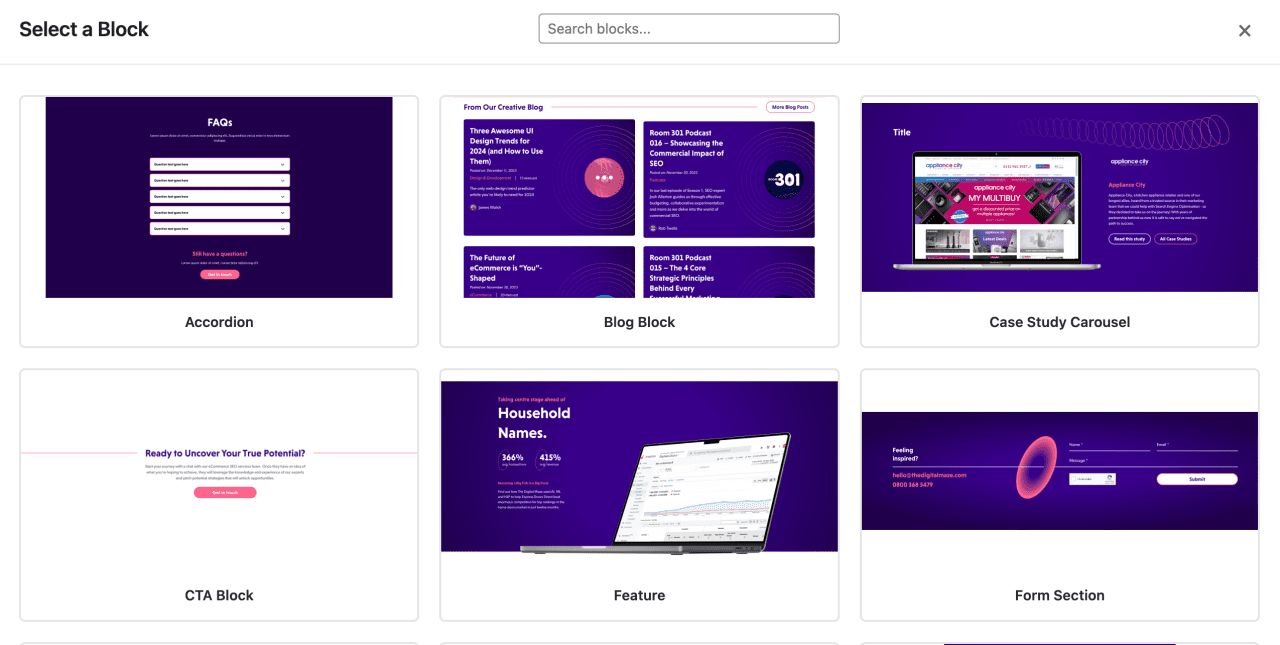
Component-based design simply means that, instead of designing a page as a whole, we focus on designing the components that make up all your pages. It's a bit like LEGO - rather than ten rigid pages you're locked into forever, we design 30-40 building blocks that snap together: hero sections, testimonial carousels, team grids, CTAs, accordions, stat highlights... And all of these are pre-styled to your brand and tested to work in any combination.
You don't get a set of pages; you get a library of building blocks.
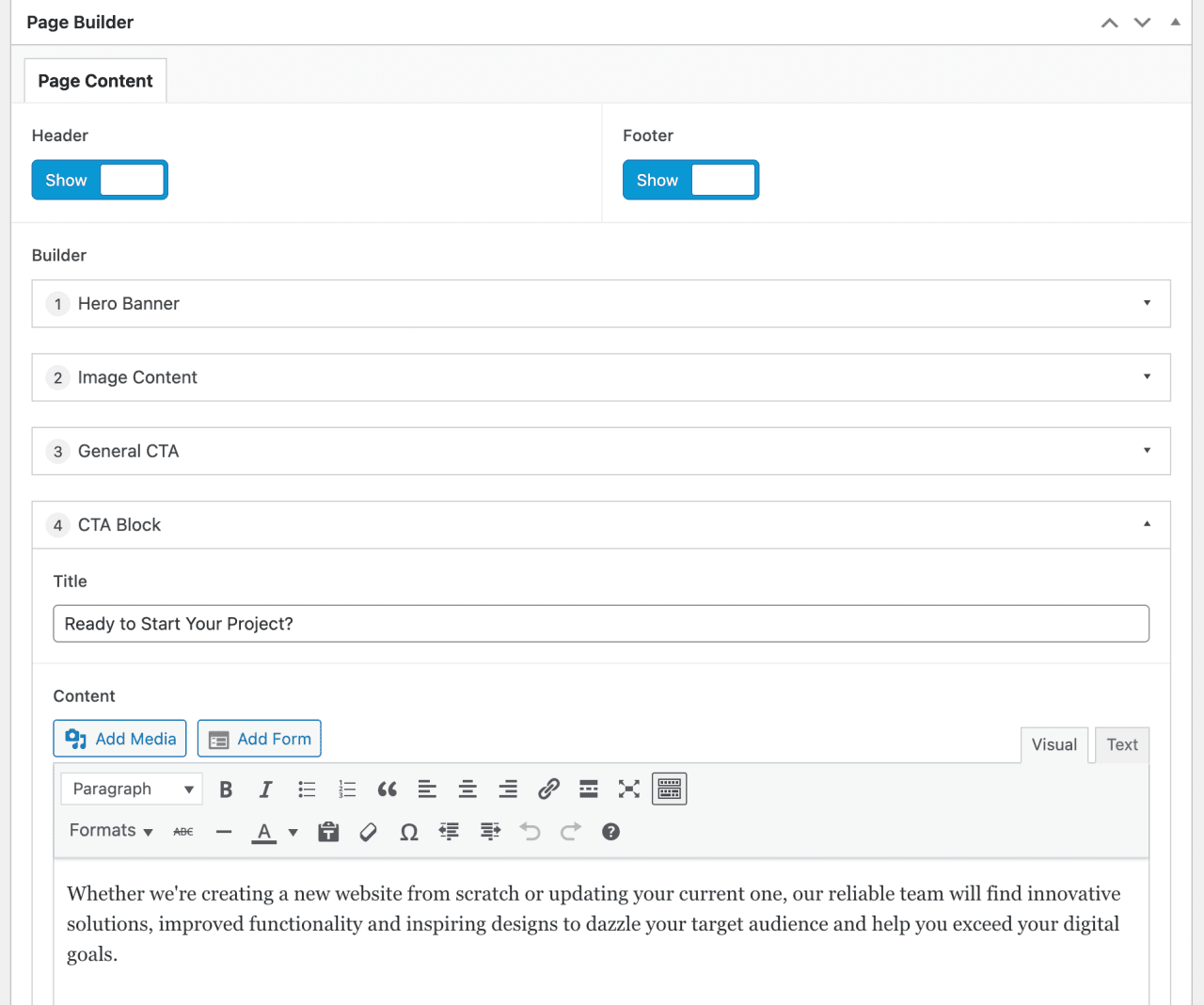
The technical side: we design these blocks in Figma, then build them as reusable modules using ACF Flexible Content in WordPress. This means that when you edit a page, you don't have to faff about with a page builder or spend ages trying to match fonts by eye. Instead, you simply select pre-built components from a menu and fill in the content. The design stays consistent because it's baked into the blocks themselves.
With component-based web design, you're not buying pages; you're buying the building blocks that let you build pages.
Here are just a few of the things you can do when you have a component library:
Black Friday landing page? January sale? New product launch? Whatever the campaign, your marketing team can build something themselves from existing blocks in as little as 20 minutes. No need to email your designers, no invoice and no waiting.
Your paid search campaigns need dedicated landing pages with specific messaging. With components, your team can create these as needed. You can even build multiple variants for testing with very little extra effort.
Competitor comparisons, objection handlers, pricing breakdowns... These "hidden" pages help your sales team, but this sort of content often never makes it into the original brief, as it often gets overlooked. Now these pages can exist without having to take on a huge additional project.
The team grid component you built for your About page? Someone else can use it for a partners page. The testimonial block you originally had built for case studies? It can also work for team feedback or supplier quotes. Components can get reused in ways you (and often your designers) never planned.
The reaction we get most often is genuine surprise: "Wait, I can just... do this? Without emailing you?"
Yes you can. Thanks to components!
Component-based design does take longer to set up than traditional page design. We won't ever pretend otherwise. But it's worth it.
Instead of designing five pages, we design around 20-30 modular blocks. We have to think through edge cases: what happens when someone uses this hero with a short headline versus a long one? What if the testimonial has no photo? What if the CTA needs two buttons instead of one?
This level of planning and flexibility takes time, so your project might take a week longer at the start.
However, the flip-side of that is that every page change, every new landing page and every "can we just add a section for..." request after launch becomes something you can do yourself. And what's more, you can do it in minutes, without the help of a developer.
Some of our clients have saved the additional upfront investment within three months, simply by not needing us for routine page creation. After a year, the ROI becomes significant.
The real value isn't cost savings, though: it's speed and independence. When your teams can act on their ideas and requirements the same day instead of waiting for agency availability, that changes how you operate.
In our experience, it's the "unsexy" blocks that get the most mileage:
Accordion and FAQ blocks - Clients use these everywhere once they've got them. Product pages, service pages, support sections, landing pages... Basically, any time you need to answer questions or break down complex information, these come in handy! They're also good for showcasing features or services in a slightly different way if needed (see: creative repurposing).
CTA banner variations - Marketing teams often need different calls to action for different contexts, for example: soft consultation offers, newsletter signups, demo requests or contact prompts. So, we build a few different variations and they can use them as they wish.
Simple text and image blocks - Left-aligned, right-aligned, full-width... all very boring. But your copy and images make up the meat of your pages, so also all very necessary!
Stat and number highlights - Ooh, marketers love dropping a good statistic into a webpage: "47% increase in conversions" or "Serving 200+ clients since 2015." But these are massive trust signals, and users (and search engines and AI engines) will love them. So, if you've got some amazing stats to showcase, you'll want to get these blocks in there!
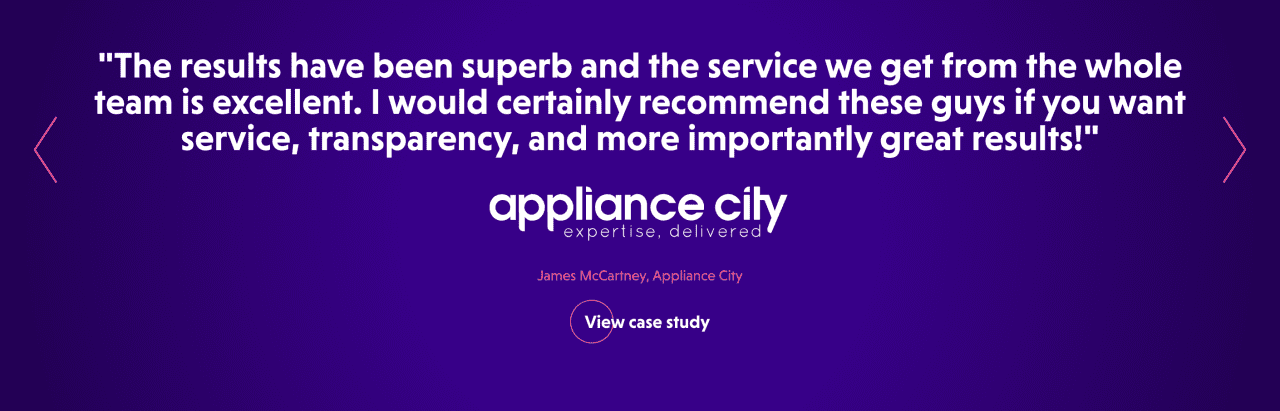
Testimonial and review blocks - These get repurposed constantly for things like quotes, partner testimonials, team feedback and case study pull-quotes. One component can have dozens of applications.
We help you think ahead, so we don't just build components for what you need at launch. We build for what your team will want to do six months later.
We're not saying component-based design is right for everyone. There are some situations where traditional page design works well:
If you genuinely only need five pages and are not likely to add more, the overhead of building a full component library may not be worth it. In this case, a straightforward WordPress site with fixed pages would serve you well.
A single landing page for a specific campaign, designed to live for three months then disappear? Build the page, launch it, move on.
Some sites do need unique, magazine-style layouts on every page. If your content genuinely demands custom treatment each time, components can feel limiting.
The question you need to ask is:
Will you want to create or modify pages without developer involvement?
If the answer is yes, components are well worth the investment.

Not every agency designs with components, and some that claim to do so don't do it well. Here are some questions you can ask:
If I want to create a new landing page in six months, what's involved?
You want to hear that you can build it yourself from existing blocks.
Red flag: "We'll handle all updates for you."
Can you show me the CMS where I'd edit content?
Your agency should be able to demonstrate the interface and show you the component library.
Red flag: If they can't show you the library, it doesn't exist yet.
How many reusable components will I get, and who decides what they are?
A good answer includes a number (20-40 is typical) and a process for deciding which blocks to build based on your needs.
Red flag: "We'll design what you need as we go."
What happens if I need a layout you haven't designed?
Look for an honest answer: "We'd need to design and build a new component, which has a cost". The goal isn't to eliminate all future development, just routine page building.
Red flag: Offering to customise another page for you. You'll likely end up with yet another inflexible template that doesn't cover what you need.
What can I NOT do without coming back to you?
This is the most revealing question. Agencies that are confident in their approach will answer clearly:
They won't pretend you'll never need them again.
Red flag: Claiming that you'll have everything you need and you won't need to come back to them.
Traditional web design treats a website as a deliverable. Here are your pages, and that's Project Complete! Anything after that becomes a whole new project.
Component-based design, on the other hand, treats a website as a system. Here's a toolkit that you can use to build whatever you need. Just come back to us when you need new tools.
The difference matters most after launch, once your team is actually using the website day-to-day. When you can respond to business needs without technical bottlenecks, your website becomes an asset, rather than a fixed thing you have to work around.
A UX audit often reveals this problem: sites that looked great at launch but became outdated because making changes was too expensive or slow. The solution isn't better pages, it's better systems.
At The Digital Maze, we design custom websites as component libraries because we've seen the alternative. We've watched clients get stuck with beautiful sites they couldn't evolve. We'd rather do the harder work up front so you can move faster forever after.
Want a website you can actually manage yourself? Let's talk about how component-based design works for your business. Get in touch for a no-pressure conversation about your options.
Sign up to The Digital Maze Newsletter