Google Shopping (also known as Google Shopping Ads) is a platform that offers businesses the opportunity to get their products in front of the correct audience. Since it’s directly linked to Google, it enables businesses to advertise their products across Google’s search network, helping spread their digital footprint.
Online shoppers can use Google Shopping listings to view retailers' pricing, availability and fulfilment options. When a shopper clicks on a listed product, they will be taken to a relevant page on the retailer's website to make their purchase.
People shop with intent, not curiosity
When a customer searches for a specific product (e.g. lace cotton baby shawl), they have already entered the purchasing journey and are well into the marketing funnel. They will see a relevant shopping ad displayed on the search engine results page, along with the image, reviews, pricing and delivery options.
In this way, Google attempts to address the shopper's search intent right there in its search results - rather than having to click on and off multiple sites.
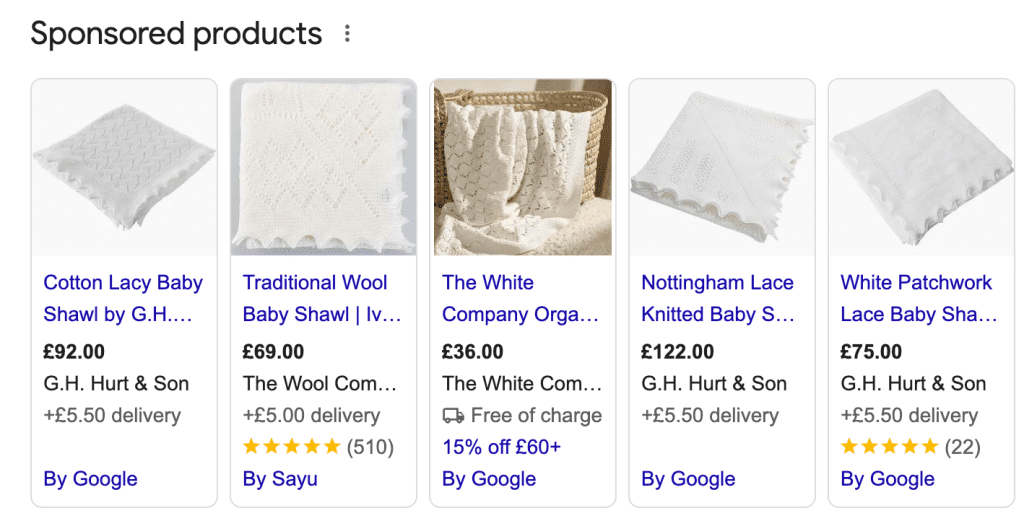
Trust has been built by viewing the product
Product image + brand + price + reviews = instant credibility.
As online scams become more frequent, users trust:
All of this helps the shopper to make the decision without having to browse further.
Most consumers shop for ecommerce products via mobile device
The vast majority of online shopping now takes place on mobile devices, usually smartphones. As such, shopping ads are now designed for shoppers to view on their mobile screens, making the buying journey easier since they can start and complete their shopping journey anytime, from anywhere.
Algorithms help with matching buyer demands
Modern shopping platforms such as Google, Meta and TikTok, use methods such as purchasing history, intent signals and consumer purchasing patterns to reach the correct audience, ultimately matching the demands of online shoppers.
Price comparison made easier
Consumers will always aim to get the best price. Therefore, running shopping ads allows businesses to highlight specific products which are in high demand (seasonal, popular, high demand), compete on value (highlighting “top quality” in descriptions) and control how products appear by adding certain search terms to the campaign. Users can also see products from different retailers at a glance and make a decision based on what they see.
Improves buyer quality
Consumers who purchase items by clicking through to shopping ads already know what they are looking for and are therefore far more likely to convert. The messaging displayed on the ad must be correct and of the highest quality to ensure your ads appear ahead of your competitors and are seen by these high-intent searchers.
Better conversion rates
Conversion rates for Shopping Ads tend to be higher in comparison to display and paid social, as they explicitly target shoppers with a higher purchasing intent.
Improved visibility and reach
Google Shopping gives retailers the opportunity to ensure products appear more prominently. Even if shoppers don’t click immediately, repeated exposure will help to build stronger reach and visibility.
Scalable growth
When properly optimised, Google Shopping campaigns are highly scalable, allowing brands to increase product visibility, grow budgets strategically, and rely on automation to drive consistent performance.
Google Shopping Ads are the product listings that appear in the search results, featuring product details such as product name, store name, price, star ratings, and delivery info, as well as an image of the product. They appear at the very top of the search results (above text ads), or in a side panel.
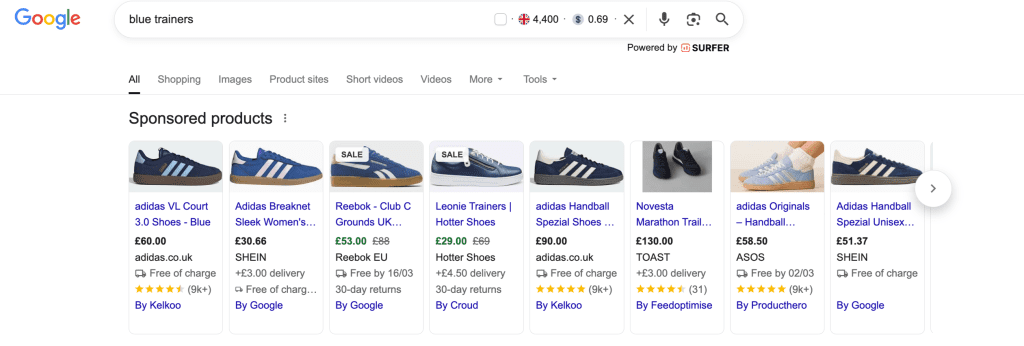
There is also a dedicated Shopping tab in Google Search:

Text ads, meanwhile, appear below the Shopping listings and at the bottom of the page, and are mainly text-based ads that offer information about the products, such as offers and deals.

Google Merchant Center
This is where your product information is uploaded and where the quality of your ads is determined. Any incorrect information, such as pricing, inaccuracies between images and descriptions and missing values, can lead to your ads being disapproved, so make sure you enter as much information as you can, and make sure it's correct.
Product feed
Your product feed determines how well your campaigns will perform. It must include clear product descriptions, high-quality images, and fully accurate information. To ensure your product feed is approved, it must include all of the following:
Google offers various ways of uploading your products to Merchant Center. Which one you choose will depend on your website, ecommerce platform, how you manage your product feed, the number of products you have, how often your products change, plus various other factors. Here's an overview of what those methods are:
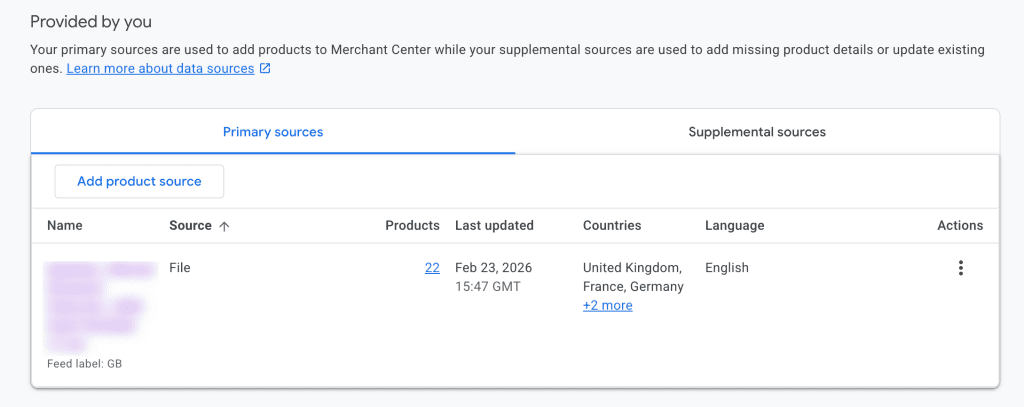
Once you've got your products in Merchant Center, you can create your campaigns. In Merchant Center, click the New Campaign button, then select Sales as your goal and Shopping as your campaign type. Select the country you want to target, choose either Standard Shopping or Smart Shopping and give your campaign a name. You can then choose a bidding strategy and budget and select where you want your ads to appear.
You can structure your campaigns by brand, price range, bestsellers, and category. This will give you a better view of performance for each product, letting you allocate your budget accordingly.
Scaling up with bid strategies
Due to the nature of shopping ads benefiting from automated bid strategies, the recommendations for setting a bid strategy would be the following:
One great advantage of optimising your product feed for Google Shopping ads is that it can benefit your organic presence too. Google also shows free shopping listings in its search results, and with a well-optimised product feed, you'll increase your chances of appearing here too!

For continuous improvement in 2026, brands must shift their perspective if they wish to compete and scale up. Embracing AI and conversational search - Google is currently rolling out Shopping Ads in its AI Mode - is vital. Shoppers can now ask detailed questions and expect to receive tailored product recommendations, so incorporating relevant info in product listings and names is vital.
Placing products where high-intent consumers have instant visibility builds trust, ultimately helping to deliver measurable, performance-driven results.
We'll help you put your products in front of the very people searching for them. Speak to our Google Shopping Ads experts today
Sign up to The Digital Maze Newsletter